Honeycomb Aeronautical Echo Aviation Controller | PC Hardware Review
Portable and Compact Simulation Controls
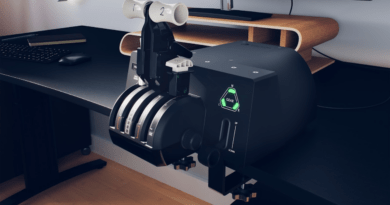
Honeycomb Aeronautical Echo Aviation Controller is a superb piece of hardware for the serious flight simulation aficionado. It’s perfect for travel or, if you are like me and short on space, an ideal companion for your desktop flight sim command center. This is not a typical gaming controller, it is a precise piece of kit for the professional flight sim pilot.
The Unboxing
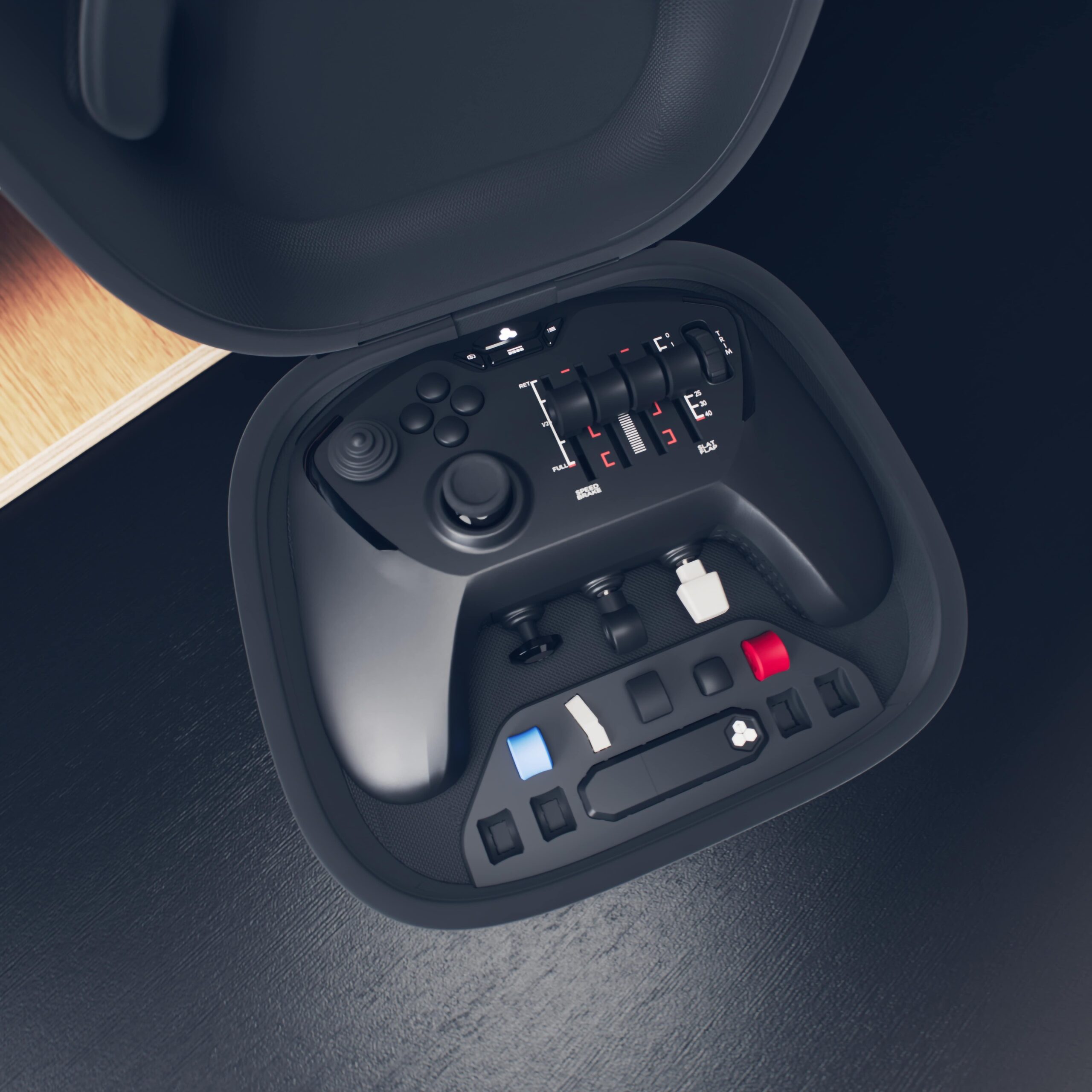
I like a good presentation when opening up premium hardware and Honeycomb does not disappoint. The box is magnetically sealed on the bottom and has a ribbon pull tab. Swing it up, and you are greeted with a sleek, grey zippered hard travel case with the logo stitched on to the top. Unzip the case and you have the controller, a USB wireless dongle, some alternate control caps that you can swap out for different aircraft styles, and a very nice thick braided USB cable in a mesh pocket attached to the lid.
The alternate control caps are held captive in their own molded interior organizer. Included you have 4 standard black round throttle caps, a black flaps cap, a blue GA Propeller cap, a red GA Mixture cap and both Airbus and Boeing shaped speedbrake caps.
The case is very protective and will travel well. Also included is a small manual that shows you the correct placement of the aforementioned caps as well as some standard how-to’s for connections and basic troubleshooting.
Hardware Matters
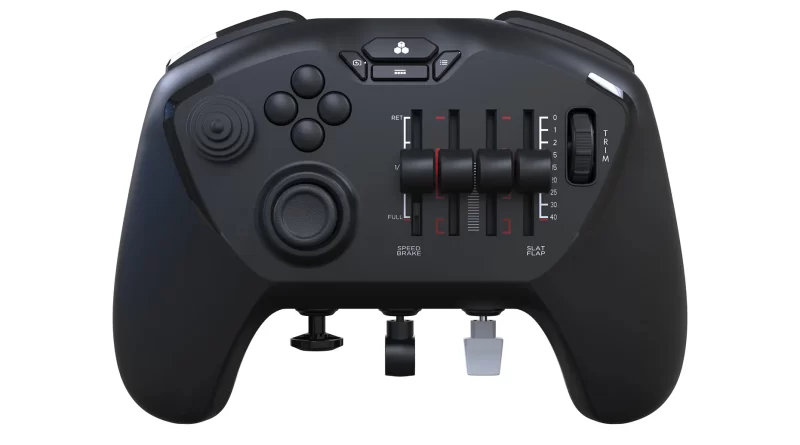
The hardware packed into this controller is impressive indeed. You have a hall effect thumbstick on the left. Right next to it is your POV switch for looking around the cockpit. There is a set of four buttons just to the right of the POV that you can map to quick things you want to shortcut. Then you have the throttle/pitch/mixture/flap sliders.
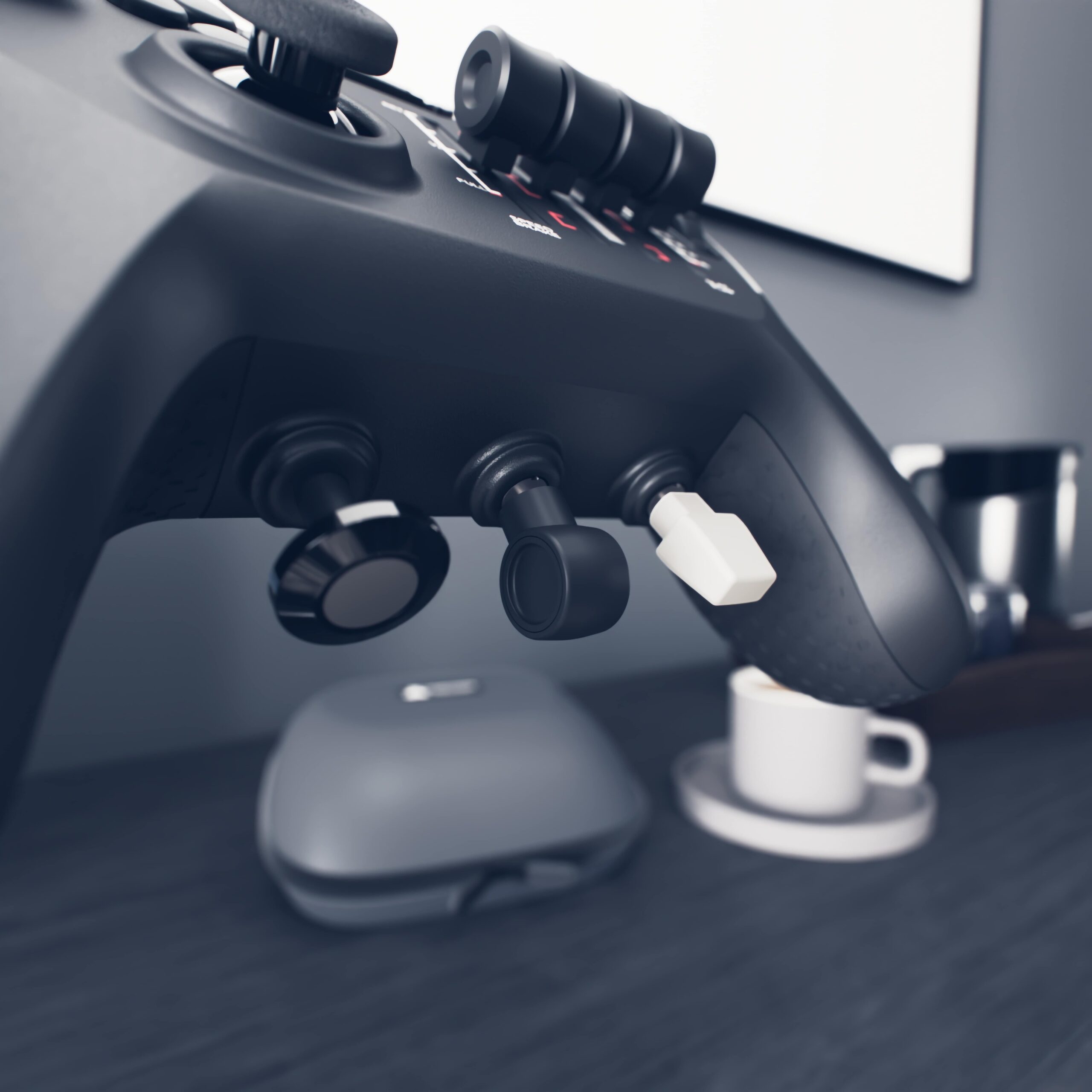
These all have a bottom detent as well that will register as a button press. There is a dial just to the right of this for trim. On the top of the controller you have 4 shoulder buttons, all digital. In the front where the headphone/expansion jack is on an Xbox controller you have a push/pull switch (I mapped this to the parking brake), a gear up/down switch, and an up/down momentary switch.
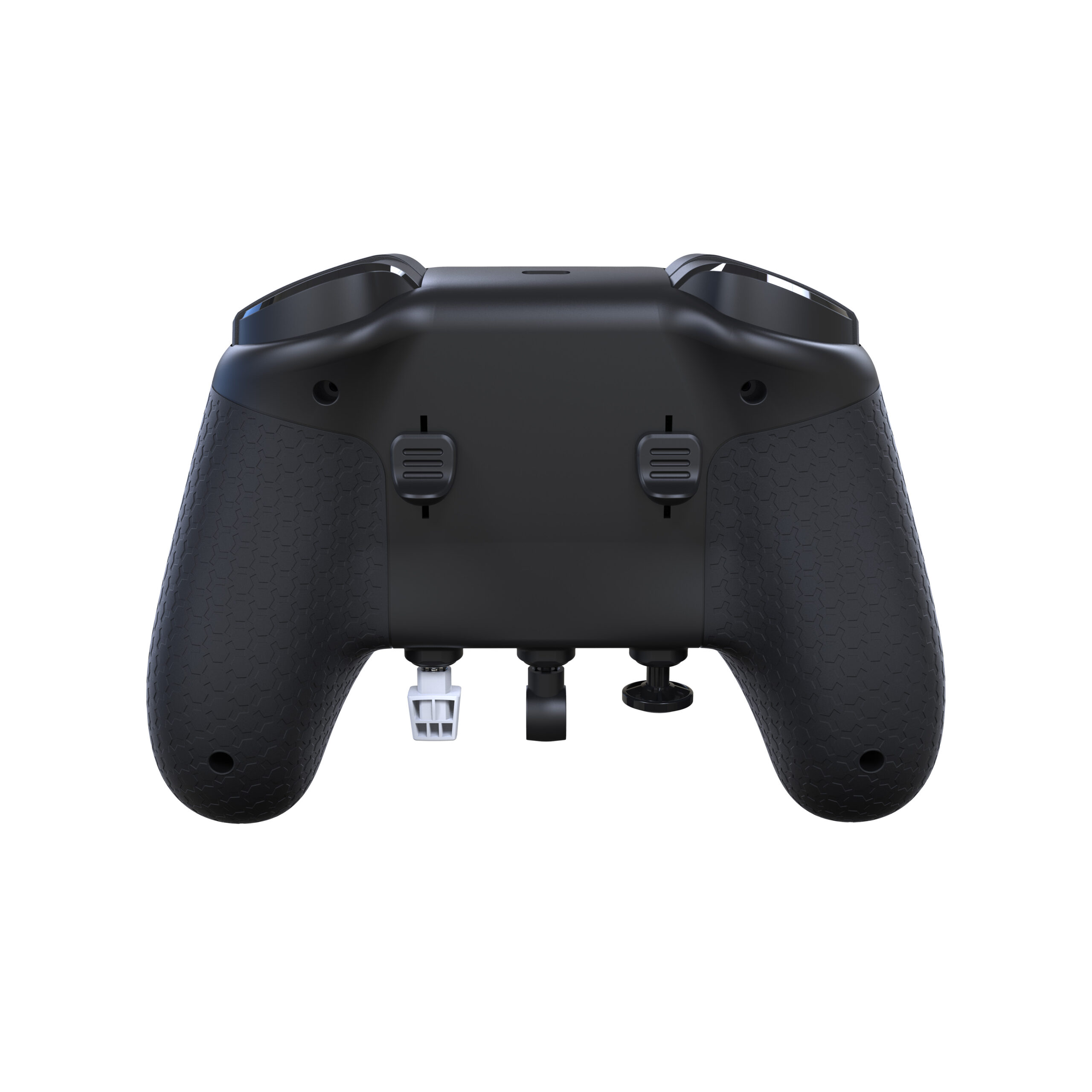
Most unique however is on the back side of the controller. There you will find a set of linked rudder controls that you can work with your middle fingers. Being linked means that it feels like the real rudder pedals. Push one and the other side responds in the opposite direction. Incredible!
The Configuration
There is an update to download for the dongle which was very easy to do. Once that was done I found that Honeycomb has some preconfigured .xml files you can download to import into Microsoft Flight Simulator 2024.
This is where I ran into my first and really only issues. The provided files did not work well for me the way they were intended. I could get them to partially work, but not completely. Honeycomb does offer a document that has a picture of the controller with all the buttons and controls mapped out and numbered. I used this to reference what controls to map to what button in Microsoft Flight Simulator 2024.
This took me about 20 minutes to go through it all, but when done I had a very usable initial configuration for a single engine plane. I created a second configuration for a 2 engine jet as well, although I much prefer to fly single engine small aircraft.
Flying High
Now for the fun part! I have always wanted a serious set of flight sim controls, but I do not have the space for such a setup. I was using a standard Xbox controller along with the keyboard and mouse. While certainly usable, it was not ideal and did not feel as immersive as it should.
My first flight with this controller was game changing. I could taxi, take off, raise the gear and adjust the throttle all while looking around the cockpit, and not once did I have to use the keyboard or the mouse.
The rudder controls on the rear really took me by surprise, it’s one of those things that you don’t realize how important it is until you have it. It makes coordinating the aircraft so much more real. You can really feel the aircraft respond to you once you have all the controls in your hands, and you don’t need to keep switching input methods.
The Verdict
This is a must have for any serious flight sim pilot. You get serious precision controls designed specifically for flight sims for what (I feel) is a very reasonable price. The hard travel case is excellent, and all the little extras really make it the total package. This is aimed squarely for the serious flight sim player. You will need to make your own configurations and tweak it throughout gameplay to get the most out of it. If you are willing to do that you will find quite simply the best hand held flight sim controls on the market.
To hear me talk more about the Honeycomb Aeronautical Echo Aviation Controller, be sure to listen to the March 24th, 2025 episode of The Gaming Outsider Podcast.
This review is based on a physical unit of the Honeycomb Aeronautical Echo Aviation Controller provided by Overload PR for coverage purposes. As of this writing, the controller is only compatible with PC and Mac.
Honeycomb Aeronautical Echo Aviation Controller
$149.99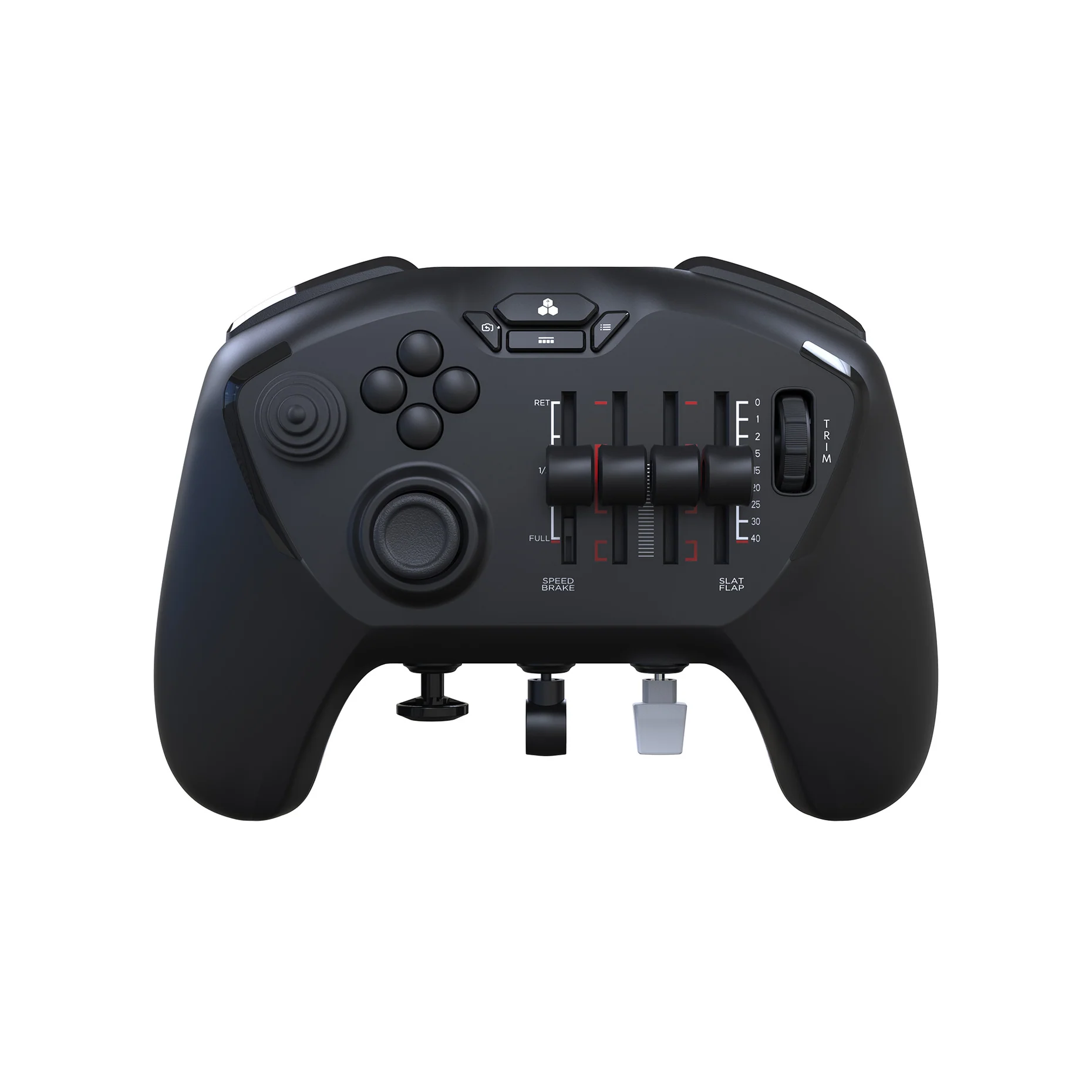
Pros
- Precision Controls
- Complete Package Including Travel Case
- Swappable Button Caps for Specific Aircraft/Use Cases
Cons
- Downloadable Profiles Did Not Work Well
- Manual Configuration Required; Not Plug and Play